TP-Link TL-SG1016BVD Gigabit Switch for Machine Vision Systems
Overview of the TL-SG1016BVD gigabit switch for machine vision
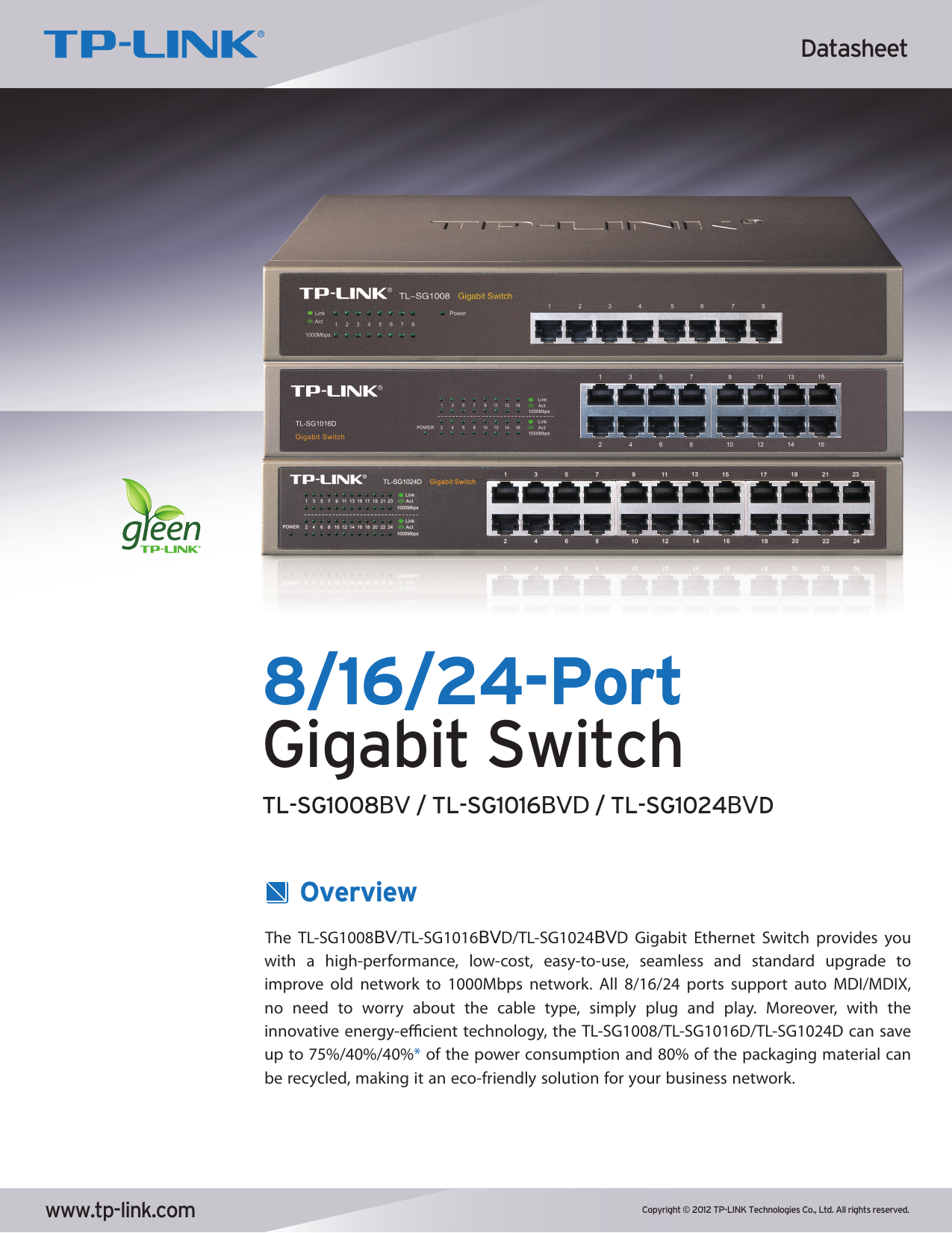
In a machine vision system using GigE Vision cameras, the network infrastructure determines the stability of the image stream: a single dropped packet or bandwidth bottleneck can cause frame loss and inspection errors. The TP-Link TL-SG1016BVD gigabit switch is a 16-port unmanaged Gigabit switch with a fanless design, 10KB Jumbo Frame support and a non-blocking switching architecture – making it an excellent backbone for connecting multiple industrial cameras to an image-processing PC.
As a machine vision equipment distributor in Vietnam, BeeVision supplies the TL-SG1016BVD along with cameras, lighting and matching accessories, helping businesses build stable, easily scalable machine vision systems.
Why a gigabit switch matters for GigE Vision cameras
GigE Vision cameras transmit uncompressed image data over Ethernet, demanding high bandwidth and strong stability. A quality gigabit switch delivers three core values:
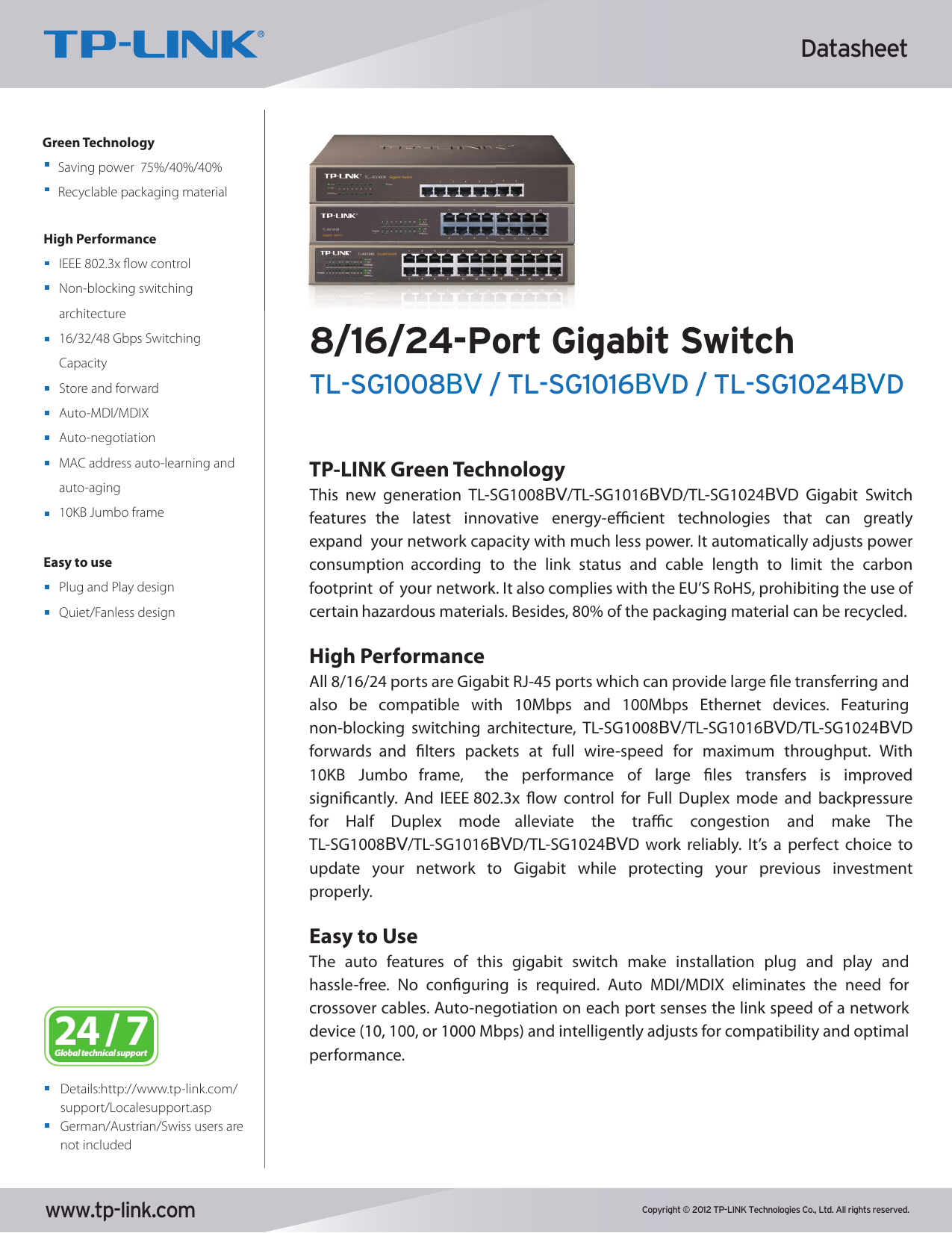
- 10KB Jumbo Frame support: Allows large image frames to be packed into fewer packets, reducing host CPU load and improving transfer efficiency – a key factor for high-resolution images.
- Non-blocking, wire-speed architecture: Forwards and filters packets at maximum speed on every port, ensuring multiple cameras can stream simultaneously without contending for bandwidth.
- IEEE 802.3x flow control: Reduces congestion in Full Duplex mode, keeping the image stream continuous and stable.
With 32 Gbps switching capacity and an 8K MAC address table, the TL-SG1016BVD is well suited to inspection stations running several cameras at once.
Key features & benefits
16 high-performance gigabit ports
All 16 RJ-45 ports run at 10/100/1000 Mbps and remain backward-compatible with 10/100 Mbps devices. Store-and-Forward mode together with 10KB Jumbo Frame supports efficient transfer of large files and images, ideal for industrial imaging data.
Plug and play, zero configuration
The TL-SG1016BVD is a true “plug and play” unmanaged switch: Auto-Negotiation senses the speed of each port, Auto MDI/MDIX eliminates the need for crossover cables, and MAC addresses are learned and aged automatically. No setup required, reducing installation and operation time.
Fanless – quiet and energy-efficient
The fanless design keeps the switch silent, dust-free and highly durable – ideal for control cabinets and workshop environments. TP-Link Green Technology automatically adjusts power based on link status and cable length, saving up to 40% of energy, complying with RoHS, with 80% recyclable packaging.
Built for industrial environments
A robust metal housing in the standard 294 × 180 × 44 mm form factor (rack/desktop) operates reliably from 0°C–40°C and 10%–90% non-condensing humidity. LED indicators for Power, 1000Mbps and Link/Act give a clear view of each port’s status.
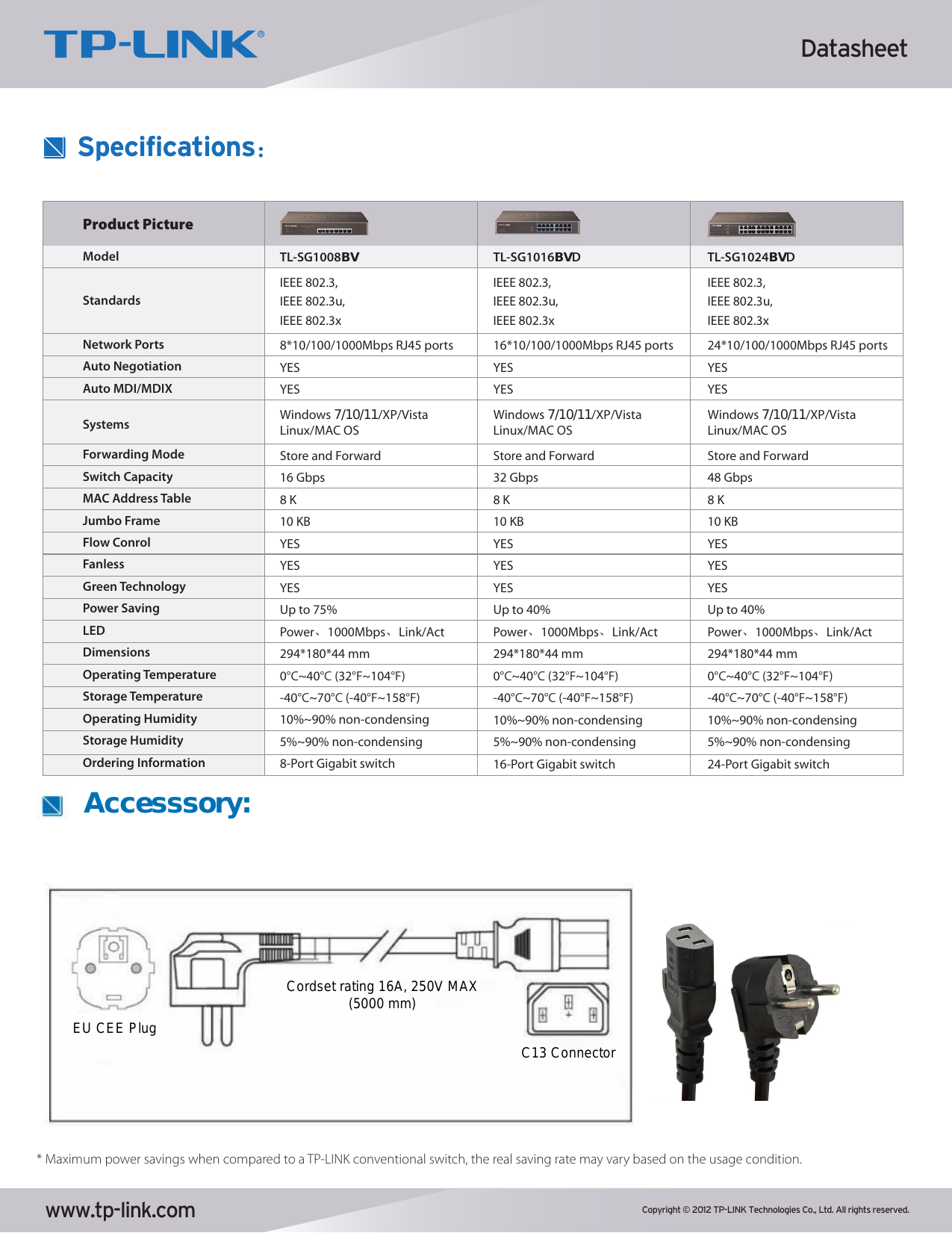
Detailed technical specifications (TL-SG1016BVD)
| Parameter | Value |
|---|---|
| Model | TL-SG1016BVD |
| Network ports | 16 × RJ-45 10/100/1000 Mbps |
| Standards | IEEE 802.3, 802.3u, 802.3x |
| Switching capacity | 32 Gbps (non-blocking) |
| Forwarding mode | Store and Forward |
| MAC address table | 8K |
| Jumbo Frame | 10 KB |
| Auto-Negotiation / Auto MDI-MDIX | Yes / Yes |
| Flow control | IEEE 802.3x (Full Duplex) |
| Design | Fanless |
| Power saving | Up to 40% (TP-Link Green) |
| LED indicators | Power, 1000Mbps, Link/Act |
| Dimensions | 294 × 180 × 44 mm |
| Operating temperature | 0°C ~ 40°C |
| Operating humidity | 10% ~ 90% non-condensing |
TL-SG10xx series comparison
| Model | Ports | Switching capacity | Power saving |
|---|---|---|---|
| TL-SG1008BV | 8 × Gigabit | 16 Gbps | Up to 75% |
| TL-SG1016BVD | 16 × Gigabit | 32 Gbps | Up to 40% |
| TL-SG1024BVD | 24 × Gigabit | 48 Gbps | Up to 40% |
All three models are fanless, support 10KB Jumbo Frame, an 8K MAC table and share the same 294 × 180 × 44 mm dimensions.
Applications in machine vision systems
- Backbone for multi-camera GigE Vision setups: Connect multiple industrial cameras to a single image-processing server simultaneously.
- Automated visual inspection stations: Stable high-resolution image transfer thanks to Jumbo Frame and non-blocking architecture.
- Linking vision devices to PLC/PC: Combine smart cameras, light controllers and industrial PCs on the same network.
- Line expansion: Easily add cameras or devices without any configuration.
Deployment notes
- No PoE: The TL-SG1016BVD does not supply power over Ethernet. GigE cameras require separate power, or a PoE injector for PoE cameras.
- Use Cat5e/Cat6 cabling: For stable gigabit speeds, use quality cable within 100 m runs.
- Enable Jumbo Frame on both ends: Activate Jumbo Frame on both the host NIC and the camera to unlock full performance.
Integration with BeeVision’s vision systems
The TL-SG1016BVD pairs perfectly with industrial cameras and lighting solutions to form a complete inspection station. Explore more of our OPT Machine Vision lights, lenses & controllers, our articles on the OPT-LVS18045-W and OPT-LVS15090-W lights, and our full machine vision accessories range at BeeVision.
Why choose BeeVision
BeeVision is a trusted machine vision equipment distributor in Vietnam, offering customers:
- Genuine products with full proof of origin.
- In-depth technical consulting: Our engineering team helps select the right switch, cameras, lights and controllers for each task.
- Integration & POC support: Accompanying you from sample testing to full production-line deployment.
- Reliable warranty and after-sales service with fast nationwide delivery.
Contact BeeVision for consultation and a quote on the TP-Link TL-SG1016BVD switch:
Website: bee.vision
Email: hive@bee.vision
TL-SG1016BVD datasheet